The Mac screenshot app that pastes first
Press ⌘⇧2 and drag. It’s on your clipboard, ready to mark up.
$5 once, ₹100 in India. macOS 14 Sonoma or later, on Apple silicon and Intel. Nothing you capture leaves your Mac.
Three keys for every screenshot
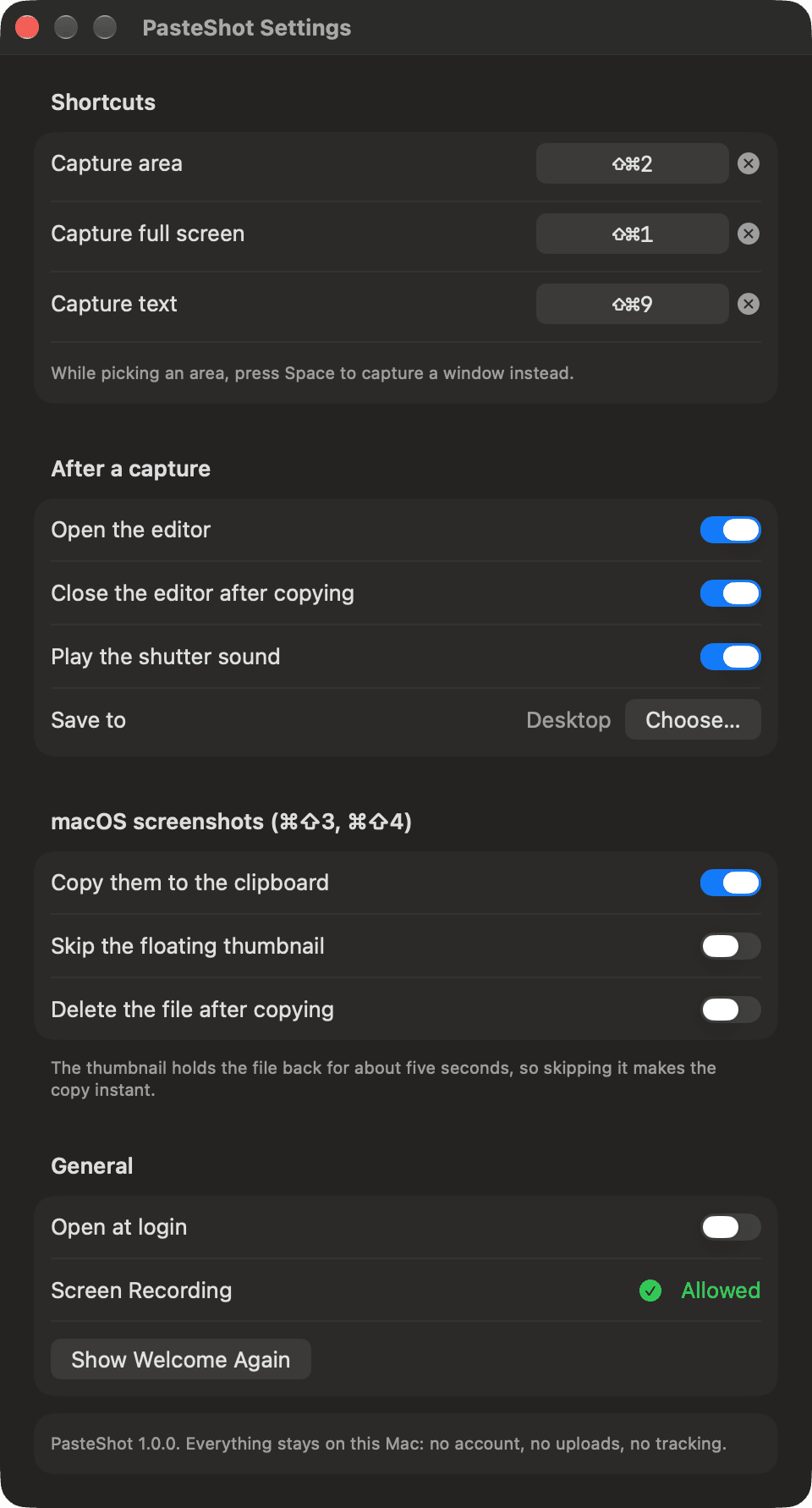
Change or clear any of them in Settings.
- ⌘⇧2
An area. Press Space while you pick for a window.
- ⌘⇧1
The whole screen. The one under your pointer.
- ⌘⇧9
The text in an area. Copied as words, not a picture.
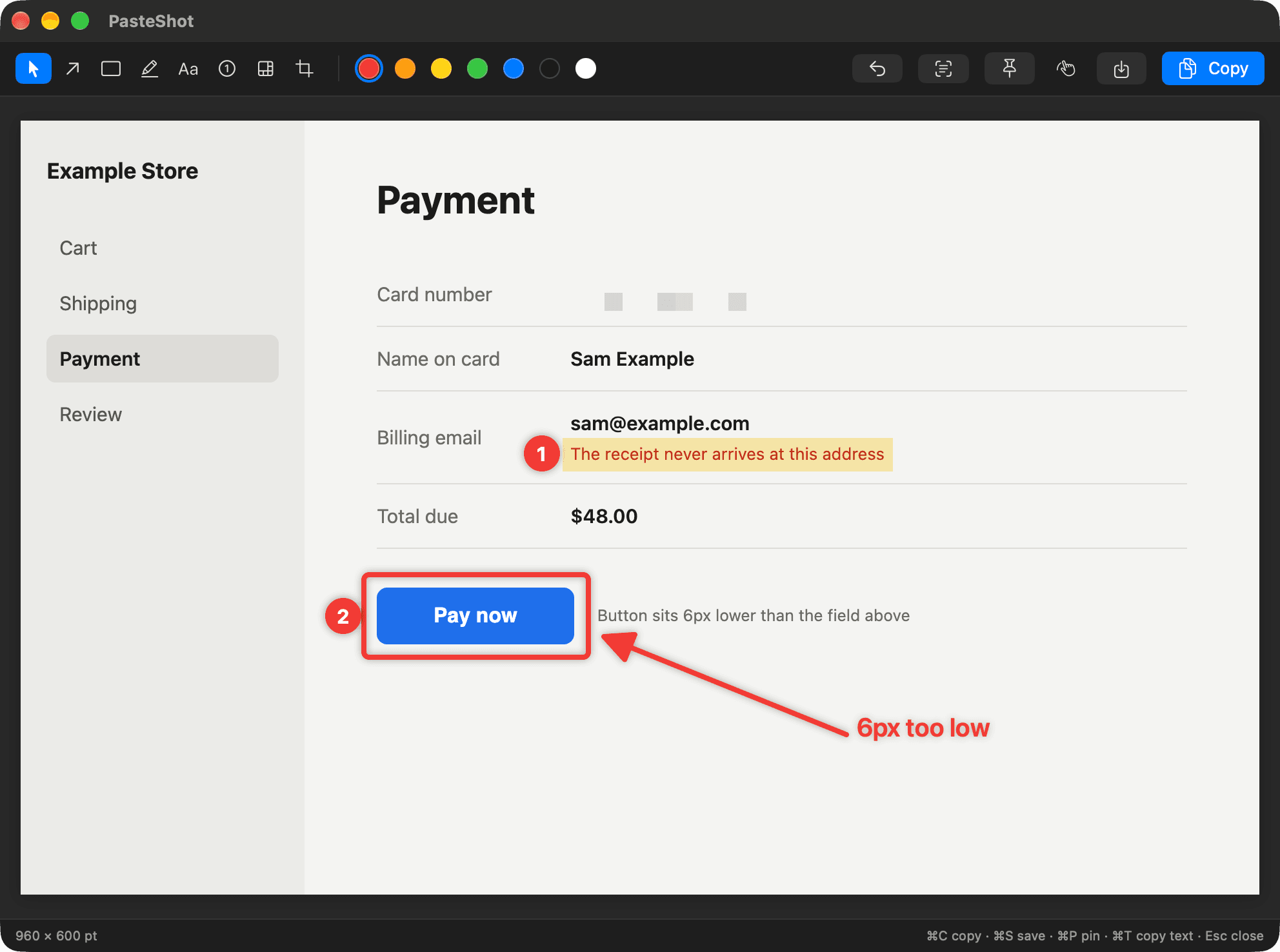
Mark up a screenshot right here
Draw on it with the app’s tools, then copy. The copy is real, so paste it anywhere.
The keys work here too: A, R, H, P and N pick a tool, ⌘Z undoes, ⌘C copies.
One key for every PasteShot tool
Made to be used without the mouse, once your hand knows them.
- ⌘C
- Copy and close
- ⌘S
- Save to your folder
- ⌘P
- Pin it on screen
- ⌘T
- Copy the text in it
- ⌘Z
- Undo
- A R H T
- Arrow, box, highlight, text
- N P C V
- Step number, pixelate, crop, move
- 1 to 7
- Pick a colour
Copy text out of any screenshot
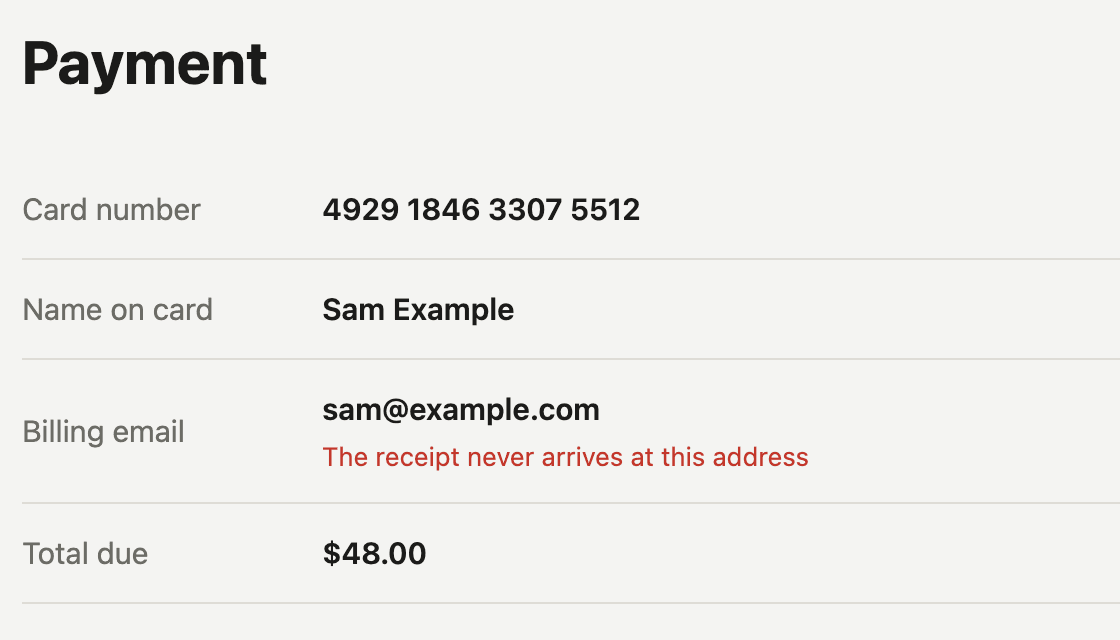
⌘⇧9 over a video, a photo of a page or an error you can’t select. The words land on your clipboard.
What PasteShot copiedPayment
Card number 4929 1846 3307 5512
Name on card Sam Example
Billing email sam@example.com
The receipt never arrives at this address
Total due $48.00
Pins, history and ⌘⇧4 copying
Every screenshot, already copied
Every capture is on your clipboard the moment you take it. ⌘V and you’re done.
Pin a screenshot above everything
Keep a capture floating over your windows while you work from it. Scroll on it to fade it.
macOS screenshot copying
Screenshots taken with the macOS keys get copied as well, and can skip the five second thumbnail.
Your last 30 captures
Your last thirty captures are in the menu bar, ready to open and mark up again.
Questions
What does PasteShot cost?
$5 once, or ₹100 if you’re in India. No subscription, no account. Dodo Payments takes the payment, and the download starts on the page you land on after.
Does it upload my screenshots?
No. There is no server to upload to. Captures stay in a folder on your Mac and only the last thirty are kept. It doesn’t phone home for updates or count anything either.
Why does it want Screen Recording?
macOS asks that of every app that captures the screen. PasteShot only looks when you press a capture key.
How is it different from ⌘⇧4?
The built-in one drops a file on your desktop and holds it for five seconds. PasteShot puts the picture on your clipboard straight away, with an editor on the way.
Will it clash with my Mac shortcuts?
⌘⇧1, ⌘⇧2 and ⌘⇧9 are free on a fresh Mac, but some apps use them. Change or clear any of them in Settings.
How do I update PasteShot?
Open your download page again (its address has your payment ID, which is also on your receipt) and drag the new version over the old one. Your settings stay.